 Florida's Film, Television and the Arts Magazine




Staging And Shooting A Fight Scene
From The Archives 2016-09-01
Almost every film today has some sort of obligatory fight scene between the good guy and the bad guy. In this article, I will share some tips on how to stage and shoot a simple fight scene between two actors.
SCENE: Good Guy enters a dark room and looks around. Bad Guy steps out from the shadows behind Good Guy and points a gun at him. Good Guy stops and raises his hands - he does not turn around. Bad Guy walks up to Good Guy and shoves the gun in his back. They talk. Good Guy turns around quickly and knocks the gun from Bad Guy's hand. They fight it out and after a few punches, Good Guy wins and walks out the door.
1) Prep - make sure you have a meeting with the Stunt Coordinator about the fight scene. You should give him as many details about the fight as you can so he can go away and work out some moves for you.
2) Shoot the beginning of the scene first following the block/light/rehearse/shoot scenario. You block and shoot everything up to the fight first.
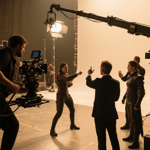
3) Blocking the fight - on the set, the two actors, two stunt doubles and the Stunt Coordinator block out the fight sequence with everyone watching. You then discuss the first shot with the DOP and rehearse that specific shot with the actors and/or doubles. Once this has been done, the DOP will light the shot while the Stunt Coordinator takes the actors and stunt doubles off set and practices the fight.
4) Off Set Rehearsal - the Stunt Coordinator practices the fight scene with the actors and the doubles. You should watch this rehearsal process for specific camera angles and make comments regarding action and movement.
5) On Set Rehearsal - The Stunt Co-ordinator shows the crew the fight sequence with the stunt doubles and the actors. He then sets up the first part of the fight and you rehearse that with the camera.
6) Shooting - you shoot the first part of the fight and continue through the process until the fight is done. You then shoot the ending of the sequence where Good guy walks out the door.
SHOOTING TIPS - Here are a few tips on shooting a stylistic fight sequence using the least amount of set-ups. (I will use the 35mm aspect ratio for reference):
Tip One: shoot two takes of every set-up and just change the lens size and speed of both cameras for each take. This means you can shoot each set-up twice (assuming no technical problems) and give your editor 4 different angles to choose from - without moving the cameras! This technique is a good way of shooting a well-covered action scene with only a few takes and without spending a lot of time.
a) use 2 cameras for each shot
b) For Take 1, Camera A can have a 25mm lens (wide) at 24fps. Camera B can have a 75mm lens (tighter) at 40fps
c) for Take 2, reverse lens size and speeds on each camera. (You don't have to move the cameras.) So, Camera A is 75mm at 40fps while Camera B is 25mm at 24fps
Tip Two: try and shoot from at least three different positions for your fight using 2 cameras. That could be as simple as two over-shoulders and a 2 shot. By using the techniques in Tip One, you will have at least 12 different angles, lens sizes and camera speeds to choose from!
Tip Three: punches look the best from over-shoulder shots (OS). Make sure you always shoot "overs " with your 2 cameras.
Tip Four: If you have two cameras, you should also have two monitors to watch. For Take 1, you should watch one monitor and have someone else (DOP, AD, Stunt Co-ord) watch the other monitor. After you cut, you discuss each shot. If the shot worked, you switch monitors. This gives you a good look at both shots since action is, by its nature, very fast and you may miss something if you try and look at both monitors at the same time.
Tip Five: slow motion creates an action sequence that has the qualities of a ballet (re: John Woo). As long as you have the exposure to shoot slow motion, shoot slo-mo on the set with your cameras. You can also shoot normal speed on the set and slow down the shots in the editing room but there is a different quality of the picture when you do this. (it has a certain "ghosty" look to it.) I usually have the camera with the longest lens (closer) shoot slo-mo.
Tip Six: Once the camera rolls, everyone's adrenaline pumps up and an actor may be afraid of hitting the other actor or of hurting themselves. One way to solve this is to use the Actor/Double stunt system when shooting a fight. Say you have an OS shot of Good Guy as he punches Bad Guy. What you do is shoot the two actors first then switch Good Guy (he has his back to the camera) with his stunt double:
a) first: shoot Good Guy-Actor OS as he fights Bad Guy-Actor. Then switch Good Guy-Actor with Good Guy-Stun
b) second: shoot Good Guy-Stunt OS as he fights Bad Guy-Actor
When your turn around for the reverses, you repeat the process:
a) first: shoot Bad Guy-Actor OS as he fights Good Guy-Actor Switch Bad Guy-Actor with Bad Guy-Stunt:
b) second: shoot Bad Guy-Stunt OS as he fights Good Guy-Actor
You can see how this process works by looking at the end fight scene in "Bird on a Wire" between Mel Gibson and David Carradine when they were swinging on the ropes in the zoo. We had each actor fight each other then we did the switch with the doubles. This worked very well here because the actors were also attached to ropes so they had a lot on their minds.
Peter D. Marshall is a filmmaker from Vancouver, Canada, He has worked in the Film and Television Industry for over 35 years. He also publishes the free monthly filmmaking ezine "The Director's Chair. You can check out his website at http://www.actioncutprint.com and his film directing blog at http://filmdirectingtips.com Peter can be reached at [email protected]


